

Bild: Donata Ettlin, © Universität Basel
The allocation, management, maintenance and improvement of classrooms, lecture halls, and other teaching rooms require collaboration between many different university administrative departments (including Student Services, Facilities and Educational Spaces & Media).
Faculty members should contact their program coordinators for information about the classroom assigned to their course. More general information, such as how to resolve issues in the room, can be found online, particularly on the intranet. The following is a summary of where to go with what types of questions for such general matters:
Quick support in teaching rooms
AV Support
If you encounter any problems with the AV equipment, please contact the central AV support team on +41 61 207 04 04. In the classrooms, you will find an AV support sticker containing a number and a QR code. Scan the QR code to access the room's support page, where you will find troubleshooting tips and the option to submit a support ticket directly.
Further information can be found at: https://av-support.unibas.ch
If a request cannot be resolved immediately, it will be forwarded to the relevant department without delay.

Room Support
In most buildings, support staff are available on-site to assist you with questions or issues. You can find the phone number for the on-duty staff and AV support either posted in the room or online in the Room Info Tool. Please note that in smaller buildings, staff may not always be available on-site.
Points of contact
Some rooms are managed centrally, others locally—if you have questions about rooms and reservations, you can find the relevant contact person in the Buildings and Rooms tab of the Room Info Tool (via VPN). To do so, select the desired building in the building selection ('Suchbegriffe und Abteilungen', i.e. Search Terms and Departments, or use the Free Search), click on the link to the address in the list below to see the contact information for the respective person in charge.
If you would like an AV equipment introduction at (or before) your first appointment, please notify the responsible department (see the Room Info Tool or the information posted directly in the room).

Non-urgent issues: Report a fault in the teaching room
To report a non-urgent issue, please submit a report via the following link: https://app.facilitysoft.ch/notifier/2y10xejXeFpT6N5UpnletXLCkIxWyKlY
Suggestions for the design of the university’s teaching and learning spaces
Please feel free to email lernraeume@clutterunibas.ch with any suggestions for improving these spaces, or to share your observations regarding new space design requirements. Thank you for your feedback!
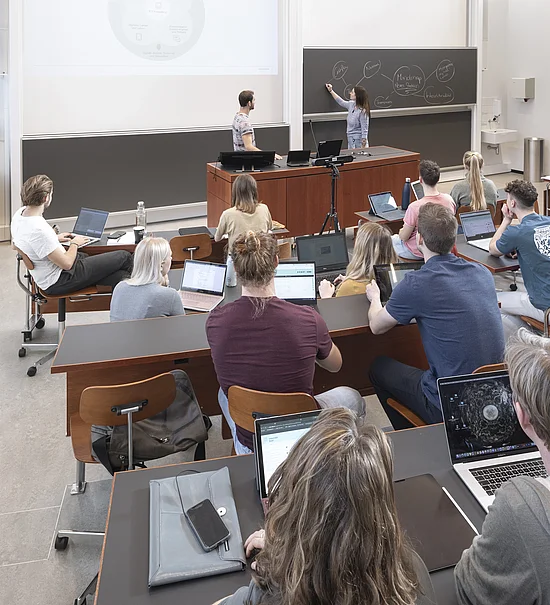
Bild: © Andi Cortellini
The University of Basel has over 70 buildings with rooms of various sizes and layouts. The program coordinator is responsible for scheduling your classroom. Please provide them with the following information:
- Preferred time slot (or alternative time slots, if necessary)
- Expected number of attendees
- Any special room equipment required (e.g. blackboard)
- Additional space requirements
- Schedule changes and cancellations
The program coordinator will arrange the most suitable available room for your course and liaise with the central office for room planning at the University of Basel. Kindly refrain from submitting requests for rooms for courses via any other channels.
![[Translate to English:] Manual](https://eduspaces.unibas.ch/fileadmin/_processed_/7/1/csm_Manual_PET01_212_Plan_added-white_342256ee47.jpg?1782145143)
Sketch of the furniture layout
When deciding, it's not just the group size that matters, but also the planned methods and forms of interaction, such as
- lectures,
- plenary discussions,
- group work and/or
- student presentations.
The choice of room also depends on whether you
- use digital elements;
- record a session (in whole or in part); and/or
- connect people (participants or external experts) online.
You can submit your requirements for room equipment to your program coordinator. The Room Info Tool (link: https://rauminfo.unibas.ch/rauminfo.cfm, via VPN) provides an overview of the furniture and technical equipment.
Information on classroom equipment is available in the Room Info Tool, usually including photos. In the Kollegienhaus, sketches are posted in the seminar rooms to help you use the space flexibly for different scenarios. These documents are available in the Room Info tool and are also posted in the respective rooms.
Most classrooms have the basic technical equipment required for recording and live streaming. In the Kollegienhaus, the Central AV & Event Support team provides assistance, while the respective local support units are responsible in other buildings.
During maintenance and renovation work, special attention is now being paid to the relevant infrastructure and room acoustics wherever possible, in order to enable and facilitate good quality recording, live streaming and hybrid teaching in university spaces.
These technical capabilities not only make teaching more flexible, but also expand the range of pedagogical scenarios: Recordings can form part of asynchronous teaching phases in blended learning and can serve as an element of flipped classroom formats, for example. You can obtain guidance and support on integrating online and in-person elements into your teaching from Educational Technologies (bbit@clutterunibas.ch). New courses and self-study materials are constantly being developed here:
- Blended Learning Guide
- Video in teaching (with ADAM login)
- Support for students on the effective use of recordings is provided by resources such as this brochure by Emily Nordmann (University of Glasgow): Lecture capture: Practical recommendations for students and lecturers.
- Courses and training provided by the Educational Technologies team.

Selbstlernressourcen on ADAM (in German)
You can find instructions on how to implement various digitally supported scenarios in the lecture hall on the EduTools page. These include the basics of lecture hall technology, using projectors and visualisers, and using Panopto for recording and streaming.
The New Media Centre provides instructions on installing and using Panopto.
Faculty members can also access extensive information in self-study material on ADAM (after login) about video production, application scenarios and infrastructure at the University of Basel, as well as recommendations for further reading and experimentation: Video in Teaching: Scenarios and Infrastructure at the University of Basel.